
Do you have a list of users (phone numbers) you would like to send a WhatsApp message to? Most of these users are not saved in your address book and therefore you cannot use the WhatsApp app to send mass messages via Broadcast? Don’t worry, below you will discover an effective way to send mass WhatsApp messages from a PC to all contacts, even those not saved in your address book.
The software to use to do this is WhatBot Plus. It is a program specifically designed to do WhatsApp Marketing and send a message to a list of users, in just one click. With WhatBot Plus you will simply have to import the list of recipients’ phone numbers, insert the message, and click on SEND. That’s all.
But let’s see in more detail how it works and what are all the functions made available by WhatBot to make sending simple, fast and secure (with minimal risk of ban). Oh I forgot, sending messages is 100% free
How to Send Bulk WhatsApp Messages from PC / MAC (for free)
Step 1. Download and Install WhatBot Plus
The first thing to do is install the program on your PC or Mac you want to use for sending messages. The program supports all Windows versions (Windows 11 included) and macOS system.


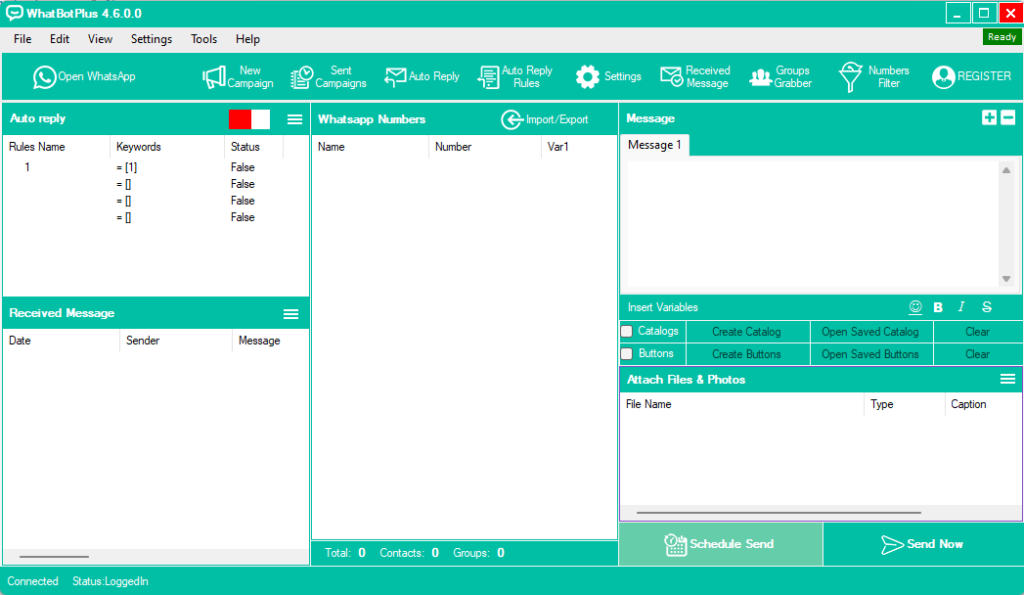
After downloading, run the installation wizard and wait for the main interface to open, shown below:

On Mac you will see:

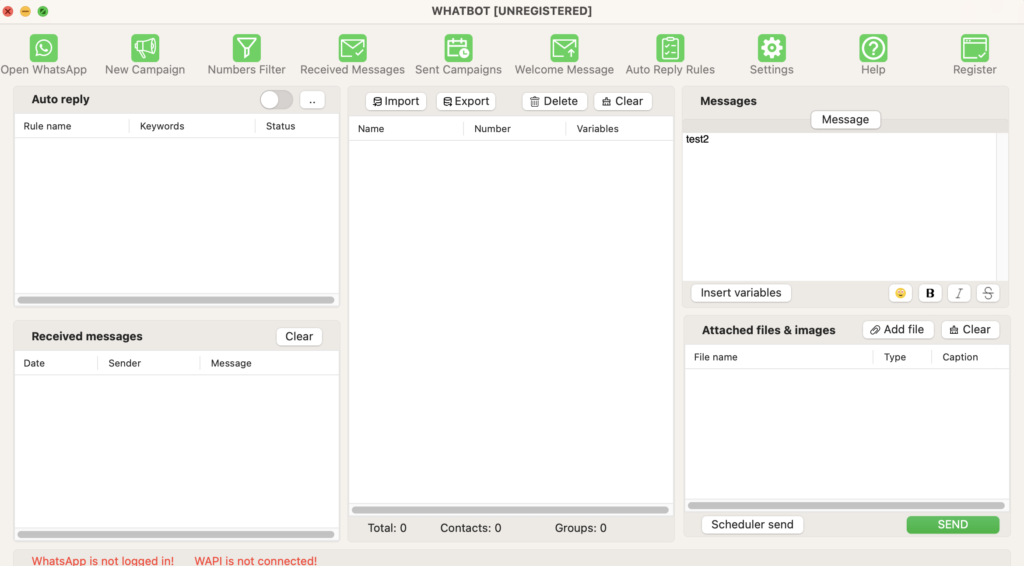
To configure the program, the only thing to do is press the Open WhatsApp button and on the screen that appears, scan the QR code (via the WhatsApp app on your phone). Once the scan is done, the green wording READY will appear at the top right of the program and you will be ready to use all the program’s functions.
Please note that on Mac, WhatBot requires Firefox browser to work regularly.
Step 2. Import recipient list
Before writing the message to send, let’s see how to import the list of recipients (telephone numbers). Prepare an Excel sheet (if you don’t already have it) and insert the list of all the telephone numbers of the users to contact. In addition to the telephone number, you can also enter the column with the relative names: this information can be used (automatically) in the program to send personalized messages with the recipient’s name (this makes the message more attractive and reduces the risk of spam reporting).
Click on the Import/Export button and then press on Import From File. At this point, a screen will open where you can upload the Excel, CSV or TXT file containing the telephone numbers. Make sure that the phone numbers all have the country code otherwise sending messages may fail!

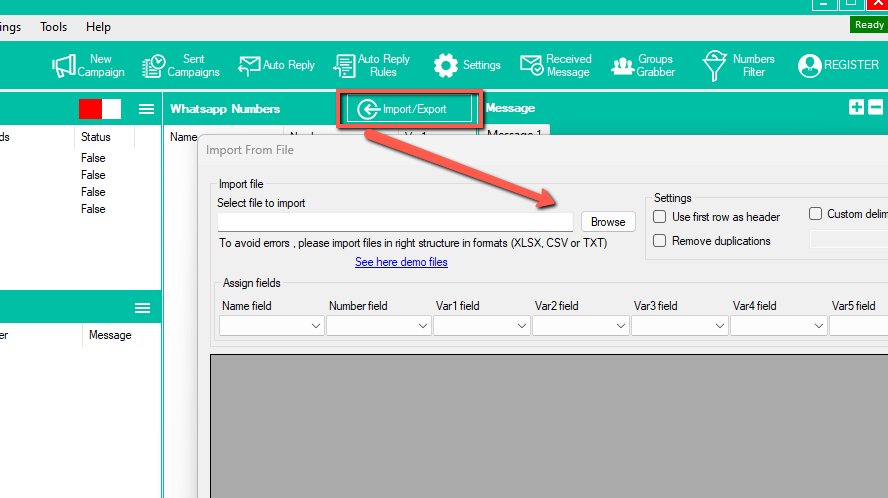
In addition to the telephone number, as already mentioned, you can enter the name and 4 other variables as you like in the other columns. These variables can then be used dynamically in the body of the message.
Step 3. SEND MESSAGES
The last step is to compile the message and send it. Nothing simpler. In the message you can insert the desired text and add emoticons (by pressing on the smiley icon), format the text with bold or italics, and insert the variables (if the imported excel file contained them).

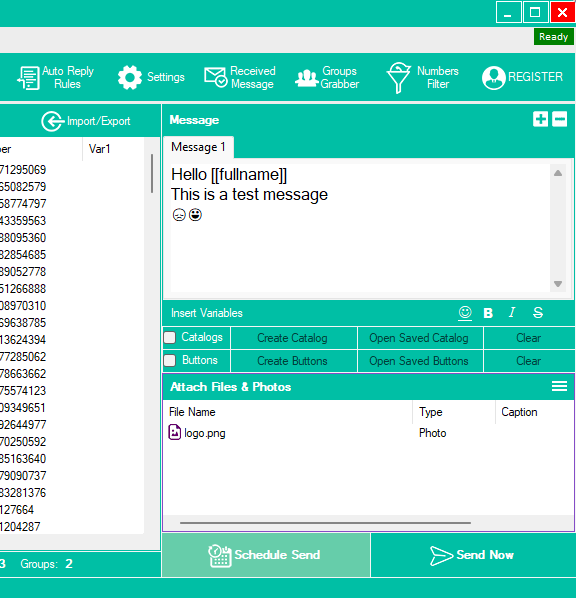
It is also possible to add a product catalog or buttons by clicking on the option below the text box.
Of course, you can also attach a photo, video or file (document) to send to all users at the same time. Finally, to send the message immediately (and in BULK mode), click on SEND NOW. Alternatively you can schedule the sending at a certain time of the day (but you need to leave the program open if you want it to work).
After pressing SEND NOW, the screen will open where you can see the progress of the sending in real time. The program will tell you the successful and failed messages sent (for example in the case of an invalid or non-existent number). To reduce the number of failed messages it is advisable to clean up the phone number list using the function WhatsApp Filter present in WhatBot.

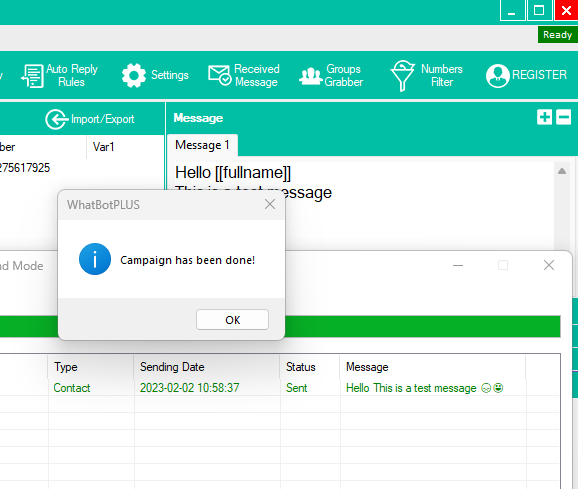
That’s all. As you can see WhatBot Plus is really simple to use and it is no coincidence that it is one of the best programs for sending bulk WhatsApp messages from a PC for free. Download the demo version now and experience the power of the software.
If you need a bulk WhatsApp Sender software without the auto-reply feature you can also try WSTOOL (WhatSender), a tool designed to send WA messages in bulk using multiple WhatsApp accounts at the same time!