
WhatBot Plus is the best software that allows to do this in a simple way to Send a Message to all Whatsapp Contacts (without using Broadcast). It is very simple and you just need to follow these steps.
How to Send a Message to all Whatsapp Contacts (without using Broadcast)
Step 1. Download and install WhatBot Plus on your PC or MAC:


NB: The free version does not allow you to import all contacts from WhatsApp. You need to purchase the license to enable this feature.
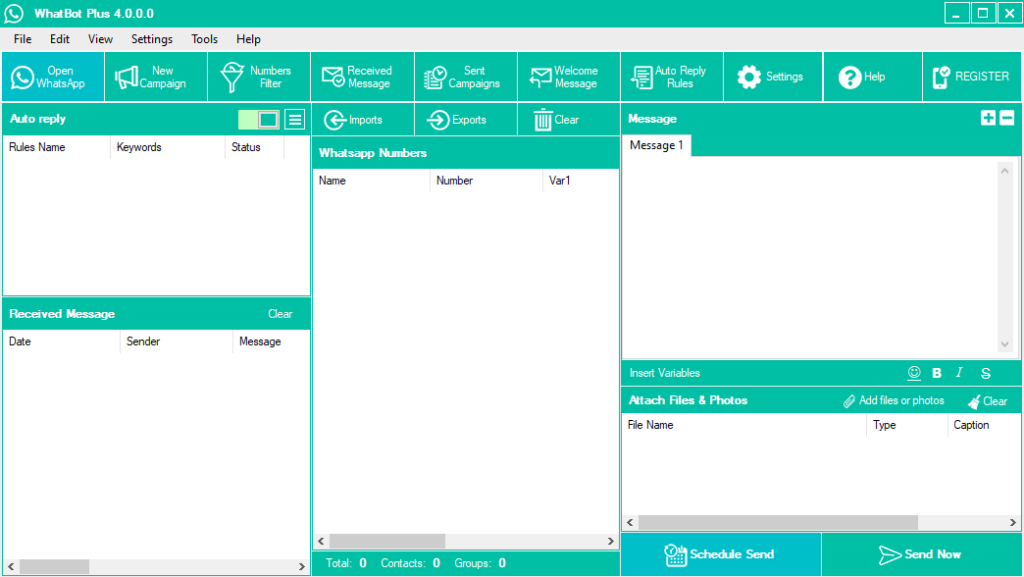
Once installed you will see this main screen:

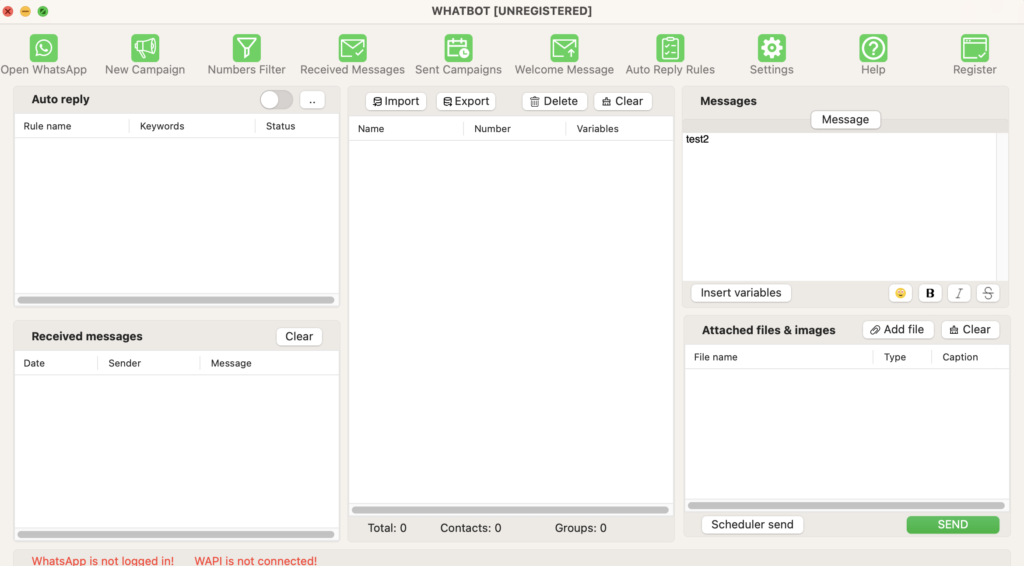
On Mac you will see:

Step 2. Open Whatsapp and scan QR Code
Once you open WhatBot Plus click on “Open Whatsapp” button on the top left

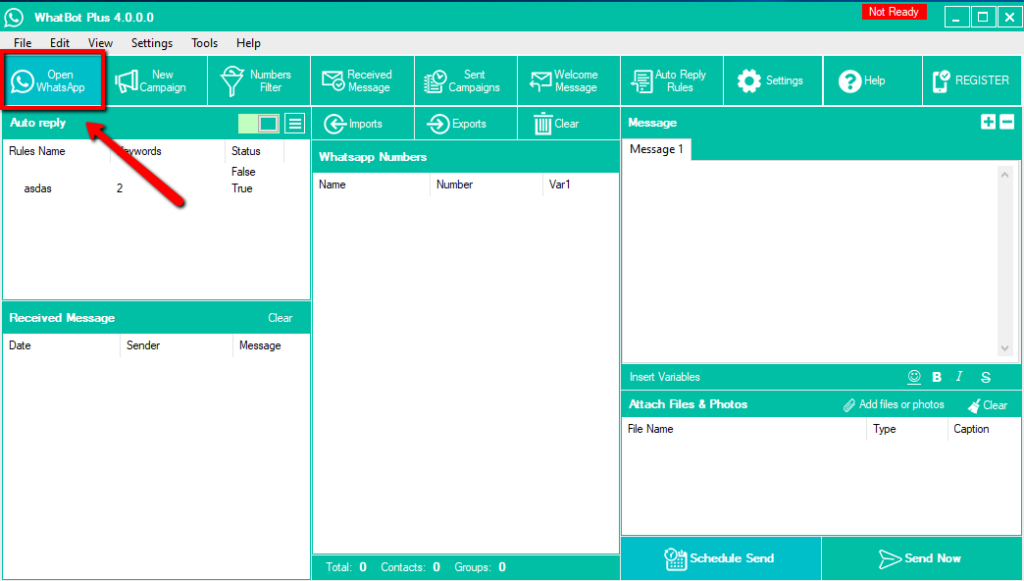
It will open the window with a QR code that you have to scan with the scanner integrated into the Whatsapp app of your phone.
After that you scan the QR Code the software will show “READY” on the top right.
Step 3. Import All Whatsapp Contacts
Tap on Imports button and then select Imports Whatspp Contacts

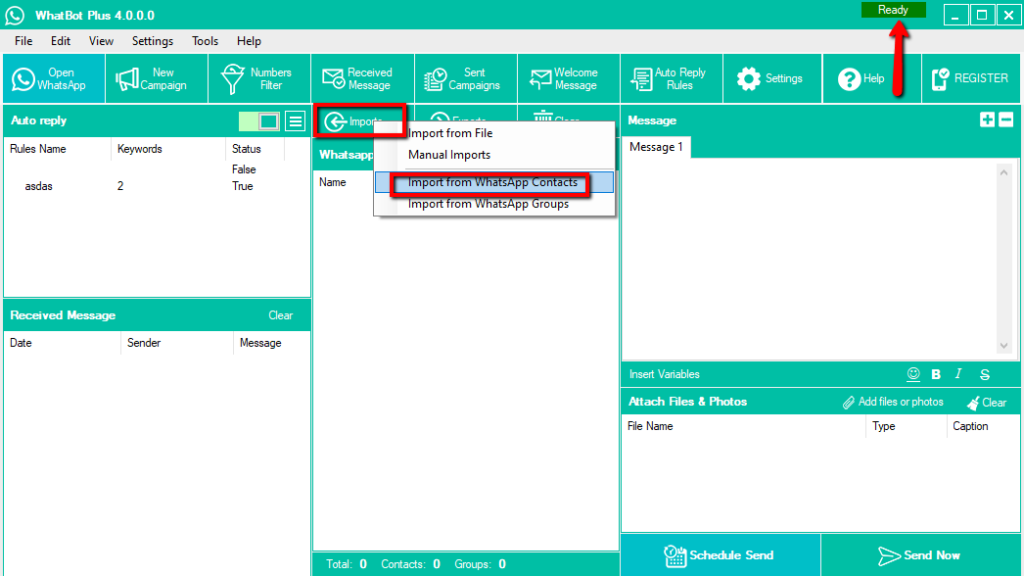
All your whatsapp contacts will be automaticaly added in the program. You will see name and number of each contact.

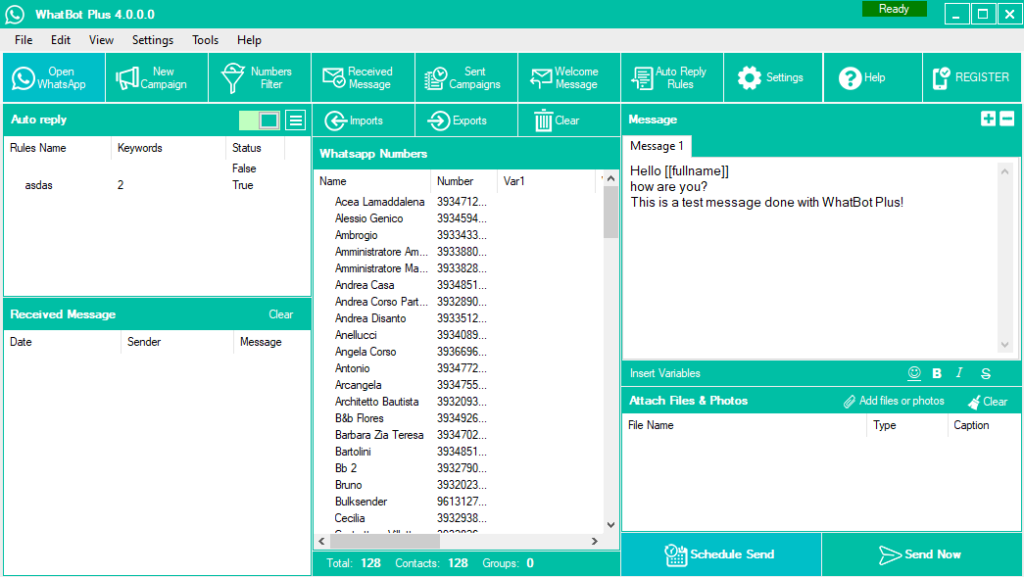
Step 4. Send message to all your whatsapp contacts
Enter the message in the box on the righ. You can enter a textual message and also attach documents or photo. In the message you can also use the variable [[fullname]] to automatically enter the name of the contact and send a customized message.
Finally click on Send Now to start the sending. That’s all!
Why send a message to all YOUR WHATSAPP contacts?
WhatsApp has become the most used communication system in the world. Once there were text messages, but nowadays companies also use WhatsApp to communicate with their customers, send promotions and do marketing.
Also on a personal level WhatsApp has become decisive in the life of each of us.
Regardless of who uses it and why, you may need to send a message to all your contacts. Yes, that’s right, you could make a broadcast list and send a message that way. But the broadcast has the limit of 256 users.
This is where WhatBot comes to the rescue, which with a single click allows you to import the entire list of WhatsApp contacts and send a message to everyone. Before sending it is of course possible to select unwanted contacts and remove them from the recipient list.
In addition to sending messages to all your contacts, WhatBot also allows you to send bulk messages to all your WhatsApp groups (Where you are subscribed to). In short, it is a truly powerful tool that can make a difference!